Nxaniso lowu a wu kumeki hi ririmi ra wena sweswi, hikwalaho wu kombisiwa hi Xinghezi.
How to Make Bilingual Subtitles: Two Languages in One SRT or VTT File
Make a dual-language SRT or VTT file people can read: merge by time, fit two languages into one cue, choose which goes on top, and run a free checker.

To make bilingual subtitles, you need one timed subtitle file, a translation of it that keeps the same timing, and one cue for each moment that holds both languages: original lines first, then translated lines, under one timestamp. Any translator that writes a dual file does this for you, and a merge tool does it if you already have two files. Plain SRT needs no special syntax for it.
Making the file is the easy part. The harder part is that the timing was written for one language. A cue that fits two lines of English now has to hold four lines, in the same few seconds, over the same picture. So this guide spends most of its time on what to fix after the merge.
We wrote a 12-cue test file, produced Spanish, Chinese, and Arabic versions, and wrote a free checker. The files came from BookTranslator's own subtitle writing code, run locally. We wrote the translations by hand instead of calling a model, so these tests show what happens to the file, not how good a translation is. The README has the details. The checker needs Python 3 and nothing else.
Quick Answer: What a Bilingual Cue Looks Like
2
00:00:03,400 --> 00:00:06,600
There's another one at six,
but the station closes at midnight.
Hay otro a las seis,
pero la estación cierra a medianoche.
That is valid SRT. Each cue keeps its number and timestamp, and every line of text below the timestamp appears on screen together. WebVTT works the same way.
Pick the Setup First
| You want to | Use | Why |
|---|---|---|
| Watch in almost any player, or send one file to someone | One merged SRT | It is one ordinary subtitle file, with no player feature needed |
| Watch on your own computer with control over each language | Two separate files in a player with two-track support | Each language keeps its own timing and can be moved or turned off |
| Show the languages in different sizes on a web page | One VTT with a class for each language | WebVTT has styling; SRT has no standard way to do it |
| Publish a video that looks the same everywhere | Burned-in subtitles | The text becomes part of the picture, and viewers cannot turn it off |
For two tracks, mpv has a --secondary-sid option. Its manual says the second track is drawn at the top of the screen by default, which keeps the languages apart. We did not test mpv ourselves.
For burning in, FFmpeg's subtitles filter needs a build with libass. The FFmpeg 9.0.1 we installed for this test did not have it, so run ffmpeg -filters | grep subtitles before you plan around it. We did not test burn-in.
Step 1: Get Two Languages Into One File
If you have one file, translate it with a tool that writes a dual file. BookTranslator does this for every SRT and VTT job: you get a translated file and a bilingual file with the same timestamps, and you can start at the subtitle translator. If you need to choose a tool first, see our subtitle software comparison.
If you have two files, pair them by time, not by cue number. This is where merging goes wrong, because two tracks of the same video rarely split their lines the same way. Our second Spanish track splits two long cues in half and leaves out the sound effect, the year, and the music.
python3 check_bilingual_subs.py merge sample-source.srt sample-es-own-timing.srt -o merged.srt
Pairing by cue number (the script's --index option) got 10 of the 12 cues wrong, starting at cue 2, where half the Spanish went missing. By cue 3 the translation belonged to a different line:
3
00:00:06,800 --> 00:00:08,000
So where do we wait?
pero la estación cierra a medianoche.
Pairing by time gave the right translation under 9 cues, left the 3 cues with no Spanish alone, and reported the one Spanish line that matched nothing, so you can place it by hand. The script gives a second-track cue to the first-track cue it overlaps most, as long as that covers at least half of its length. Tools such as submerger also merge files; we did not test them. Whatever you use, spot-check the cues after the first split.
Step 2: Check the File
python3 check_bilingual_subs.py check sample-source.srt sample-es-bilingual.srt --max-target-cps 17
It compares the bilingual file with the source and assumes the original lines come first, so run it before you swap the order. It warns you if the top lines do not match the source. This is what it found in the Spanish file:
| Cue | Seconds | Lines | Original chars/sec | Spanish chars/sec | Problem |
|---|---|---|---|---|---|
| 2 | 3.2 | 4 | 19.4 | 17.8 | Four lines, Spanish too fast |
| 5 | 2.7 | 2 | 6.7 | 7.0 | ' in the text |
| 7 | 1.0 | 2 | 4.0 | 4.0 | Same text twice |
| 8 | 1.8 | 2 | 1.7 | 1.7 | Same text twice |
| 9 | 1.2 | 4 | 20.8 | 22.5 | Four lines, both languages too fast |
| 10 | 3.6 | 2 | 18.3 | 19.4 | Both lines over 42 characters, Spanish too fast |
Cues 6 and 12 also came back with four lines. The other four cues were fine.
The speed and line-length limits come from Netflix, because its numbers are public and specific, and they differ by language. Its English guide allows 42 characters per line, two lines, and up to 20 characters per second for adult programs. Its Latin American Spanish guide allows 17 characters per second for translated subtitles, and its Simplified Chinese guide allows 16 characters per line and 9 per second. So use --max-target-line 16 --max-target-cps 9 for Chinese. Those guides cover one language at a time, with two lines at most. We know of no equivalent standard for two languages in one cue, so the checker's default of three lines on screen, and everything in the next section, is our judgment.
The checker also prints a combined number, which reached 43.3 characters per second on cue 9. Don't try to fix that number. Nobody reads every character of both languages at full attention. Treat it as a pointer to the cues worth watching.
Step 3: Fix the Four-Line Cues
This is what four lines cost. In Chromium's built-in subtitle display at 1280x720, the two-line English cue took up 10.6% of the frame height, and the same cue with Spanish added took up 21.9%.
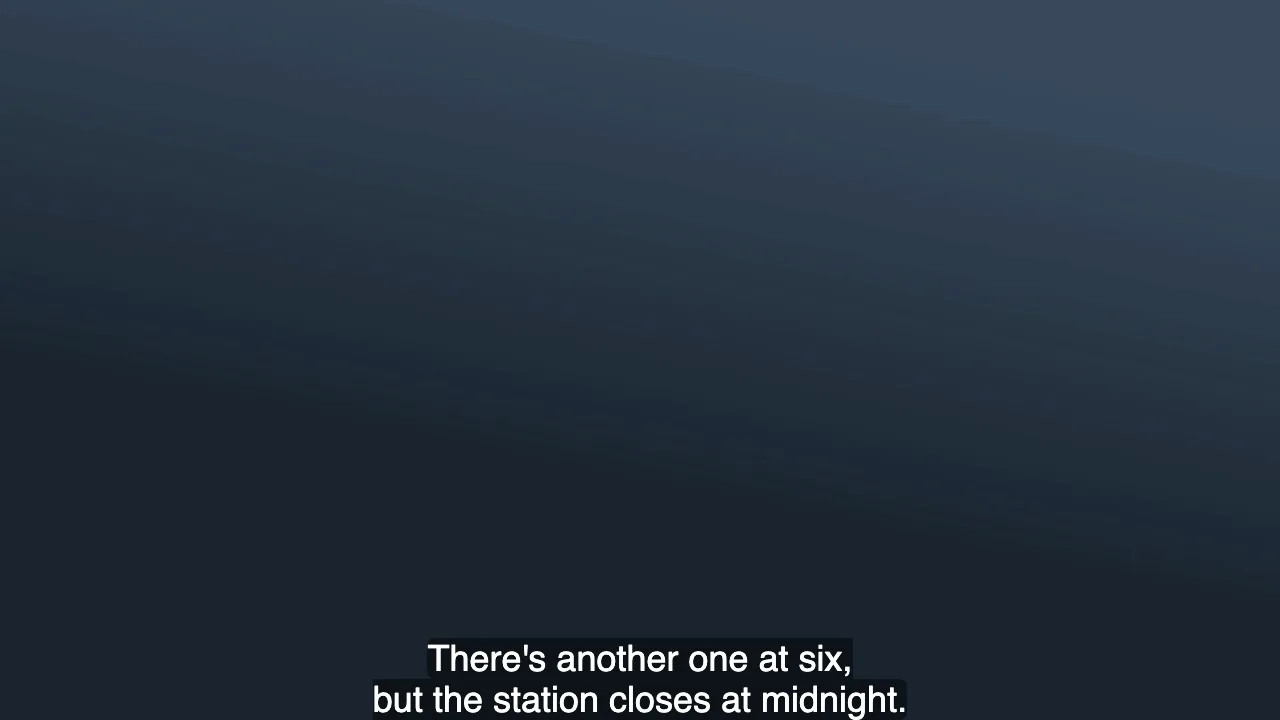
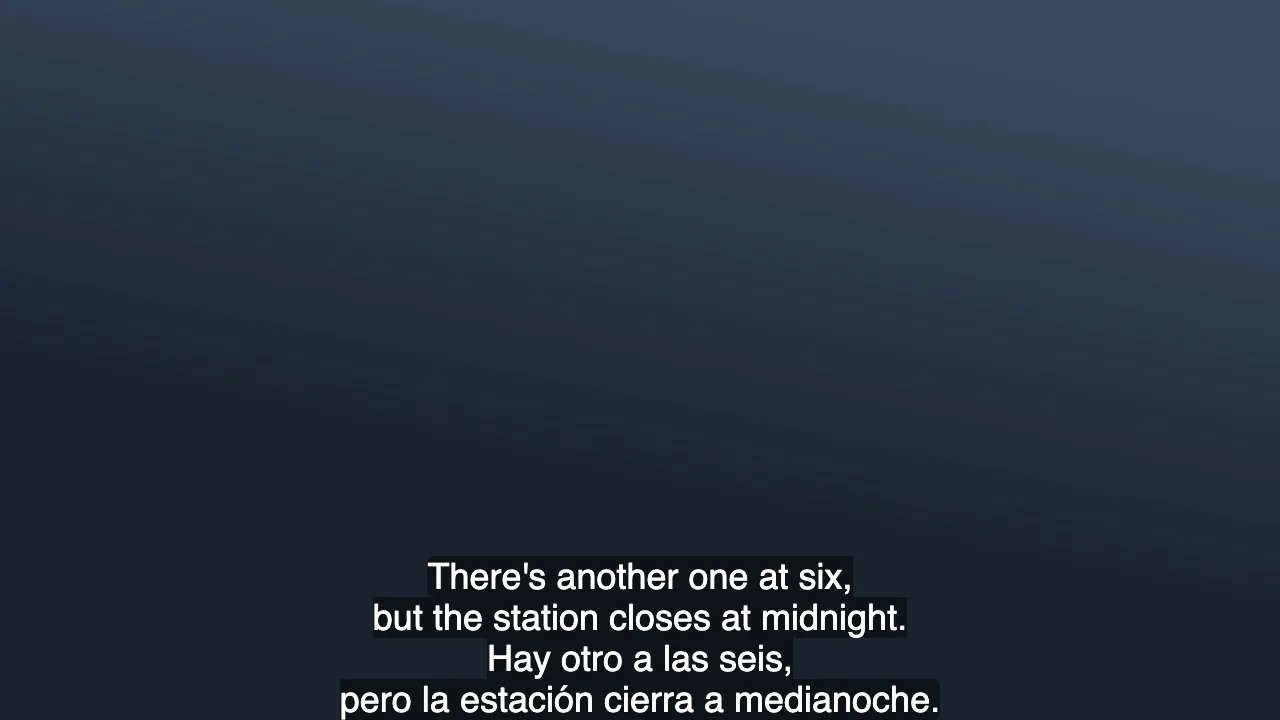
Go through the flagged cues in this order:
- Keep the audio language word for word. If people are listening to the original and following along in text, a shortened original no longer matches what they hear.
- Cut the other language to one line. Our cue 2 goes from 17.8 characters per second to 13.1 when the Spanish becomes
A las seis hay otro; cierran a medianoche.That is three lines on screen instead of four, and it keeps both facts. - Add time only if there is a gap. Check the next cue's start before you move an end time. Cue 2 has 0.2 seconds to spare, which is not worth the effort.
- Then leave the rest alone. Cue 9 is
You knew?/Since March.in 1.2 seconds. It breaks the speed and line limits, but we would leave it: the 0.2-second gap after it is too small to help, and a viewer can likely take in two short replies at a glance. Not every flag is a bug.
For long single lines like cue 10, break each language into two lines only if the cue has the time for it. Otherwise shorten the translation.
If you control the display, you can also make one language easier to pick out. Run to-vtt to give each language its own class. The resulting file rendered in Chromium with the English at 80% size and in light gray. This barely saves space (21.1% of the frame height instead of 21.9%), so it is not a replacement for cutting a line. We did not test whether it helps people read.
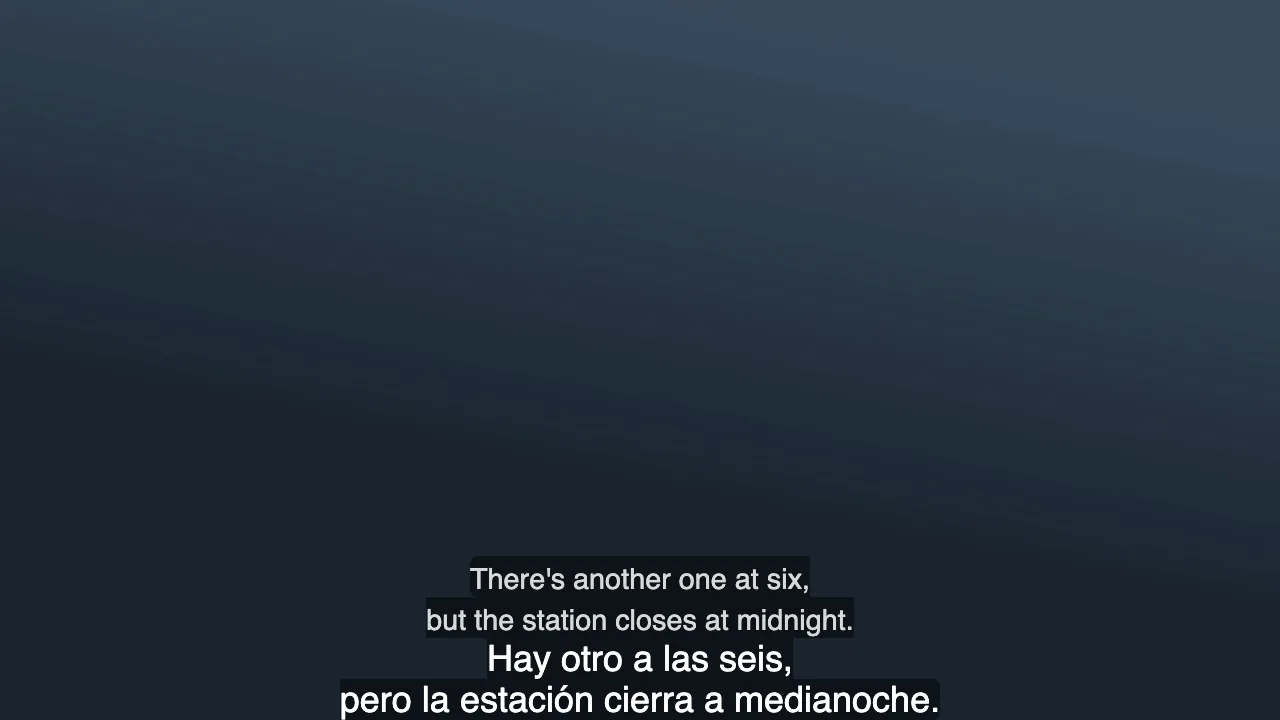
This uses WebVTT cue classes and the ::cue() selector. It is meant for browsers. Other players may ignore the styles or the VTT file.
Step 4: Decide Which Language Goes on Top
There is some research on this. In a 2026 eye-tracking study of 42 native Spanish speakers with English as a second language, viewers spent more time on the top line whichever language it was in, and they spent more time on whichever line matched the audio. Comprehension scores were higher with Spanish, their first language, on top. An earlier study of 112 Chinese learners of English found bilingual subtitles helped comprehension as much as subtitles in their first language alone, and both beat English captions or no subtitles.
These are single studies of specific groups of viewers, so take them as a starting point:
- Following a film or lecture for its content: put the language you read best on top.
- Practicing a language you are learning: put that language on top and accept that you may understand somewhat less. Comprehension is what the 2026 study measured, not learning, so this one is our judgment.
- Reviewing a translation: the order matters little, so leave it.
BookTranslator's bilingual file always puts the original on top. To swap it:
python3 check_bilingual_subs.py flip sample-source.srt sample-es-bilingual.srt -o translation-on-top.srt
What Comes Back Wrong, and How to Fix It
These came from running BookTranslator's subtitle code on our test files, and the checker flags the first two.
- Text that needs no translation appears twice.
1984and♪ ♪are skipped as having no words to translate, so the bilingual file prints each one twice. Delete one line by hand. 'can appear in the text. As of November 2026, a cue with formatting tags and an apostrophe can come back with the apostrophe escaped. Our original line became<i>Don't answer that.</i>in the bilingual file, and in a separate VTT test a French translation became<i>Je n'attendrai pas.</i>in the translated file too. Chromium decoded it in VTT and showed a normal apostrophe. But when we converted the SRT with FFmpeg, the'stayed in the output text, so assume some players will show it literally. Replace'with'before you use the file. We have reported this to our engineers.- VTT cue settings are removed. Position settings such as
line:0 align:start position:10%andNOTEblocks were gone from our VTT test output, and speaker labels appeared on both lines. If your VTT relies on placement, add it back after translating. - Right-to-left text is marked line by line. Arabic lines came back wrapped in Unicode direction marks. We looked at only one cue, in a VTT copy of the file in Chromium, and it displayed right to left. Lines that mix Arabic with numbers, like our cue 10, are the harder case and we did not view those, so test in your actual player. SRT has no other way to set direction. Our right-to-left guide covers the wider issues for books.
If your source is ASS or SSA, BookTranslator's bilingual output adds the translated line as a second event with the same style and timing, which is a different structure. Our ASS subtitle guide explains how those files are put together. If accented characters look broken in either language, the problem is usually the file's encoding, which our subtitle encoding guide covers.
Before You Share the File
- Run the checker and go through every flagged cue.
- Find
',&, and"and replace them. - Delete duplicate lines on sound effects, numbers, and music.
- Watch the busiest few minutes in the player your viewers will use, on the screen size they will use.
- Check that the bottom lines don't cover on-screen text in the video.
- Read the translation in context. Our AI subtitle workflow covers how to review it.
Have an SRT or VTT ready? Upload it to the subtitle translator and see the price before you pay. When it finishes, download the bilingual file along with the translated one. Then run the checker on it, since the line counts in a real job depend on how the model breaks each translated cue.
Matsalwa lama fambelanaka